Tracking domains
Use your own domain for tracked links instead of Lumail's shared fallback
Tracked clicks, opens, the online version, and unsubscribe links need a host that is not your From domain. A custom tracking domain is the durable fix: recipients see your brand, and a blocklist hit on Lumail's shared fallback cannot take your mail down.
What a tracking domain does
A tracking domain is the hostname Lumail uses for the links it adds to an email:
- Tracked links first open
/r/..., record the click, then redirect to the original destination. - The invisible open-tracking pixel loads from
/o/...when open tracking is enabled. - The online version loads from
/e/.... - Unsubscribe links use the same hostname.
Without a custom domain, Lumail provides a per-organization hostname on its shared tracking domain. Using your own verified web domain keeps these links recognizable and aligns them with the domain you already send from.
Set up a custom tracking domain
1. Add a web domain
Open Domains, find Web domains, and click Add web domain. Use a dedicated subdomain such as click.yourdomain.com or links.yourdomain.com.
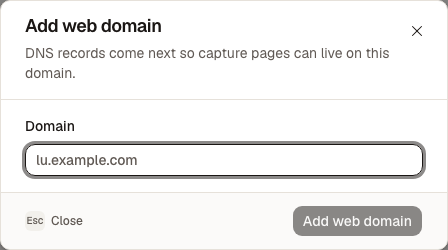
Your tracking domain is also a web domain, so it can continue serving capture pages on the same host.
2. Configure DNS and wait for HTTPS
Add the CNAME record shown by Lumail to your DNS provider. Keep the TTL on Auto when that option is available.
Return to Lumail and click Check DNS records. The domain is ready when DNS, the certificate, and HTTPS are all verified.
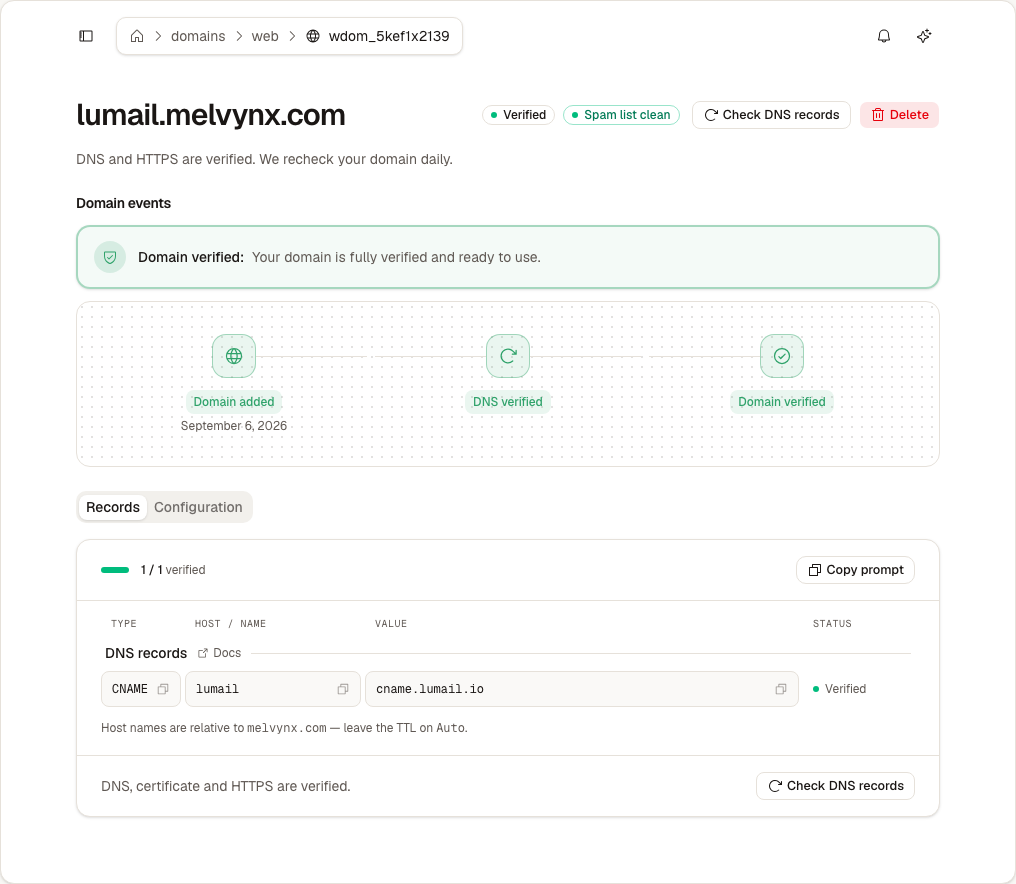
DNS propagation is not instant. If the record is correct but still pending, wait a few minutes and check again. See Web domains for Cloudflare and SSL troubleshooting.
3. Select the domain
Open Settings → Configuration → Tracking domains. Choose the verified web domain.
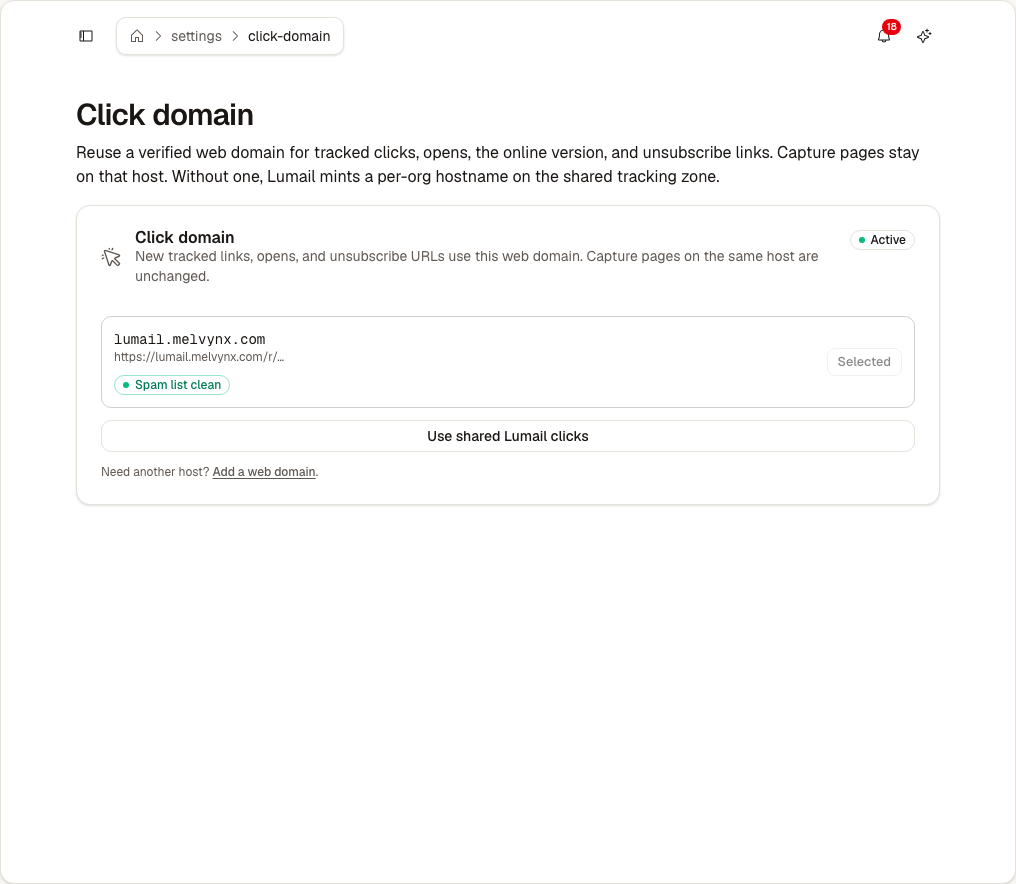
The selected host is used for new tracked links, opens, online versions, and unsubscribe URLs. Capture pages already using that web domain are unchanged.
4. Test a tracked link
Send a test email containing a normal link. Open the message and inspect or click the link:
- The URL should start with your custom hostname, for example
https://click.yourdomain.com/r/.... - Opening it should redirect to the original destination.
- The click should appear in the email or campaign analytics.
Already-sent emails keep their original tracking hostname and continue to work.
Switch back to shared tracking
Open Settings → Configuration → Tracking domains and choose Lumail shared tracking. Only newly generated links switch back to the shared hostname.
Read Tracking domains: Shared to understand how the fallback works and what changes when you use it.
Quick checklist
- The web domain is verified.
- HTTPS is ready.
- The domain is selected in Settings → Configuration → Tracking domains.
- A test email uses your hostname and redirects correctly.
- The hostname is not blocklisted.